
Kotae
2024 - Present • Product Design
Impact
83% Fewer
Abandonments in onboarding
2.5x Faster
Completion time
"More enjoyable"
Positive feedback
Role and Team
I served as the Lead Product Designer for Kotae, an AI-powered website chatbot that businesses embed on their websites to answer customer questions, automate support, and capture leads through natural language conversations. The project, funded and housed by Tokyo Techies, was highly collaborative. I worked in a tight feedback loop with:
Research: Omar Aujani, UX Researcher
XFN Partners: Project Manager, AI Team, Engineering Team, QA
Stakeholders: C-suite executives at Tokyo Techies
Problem Statement
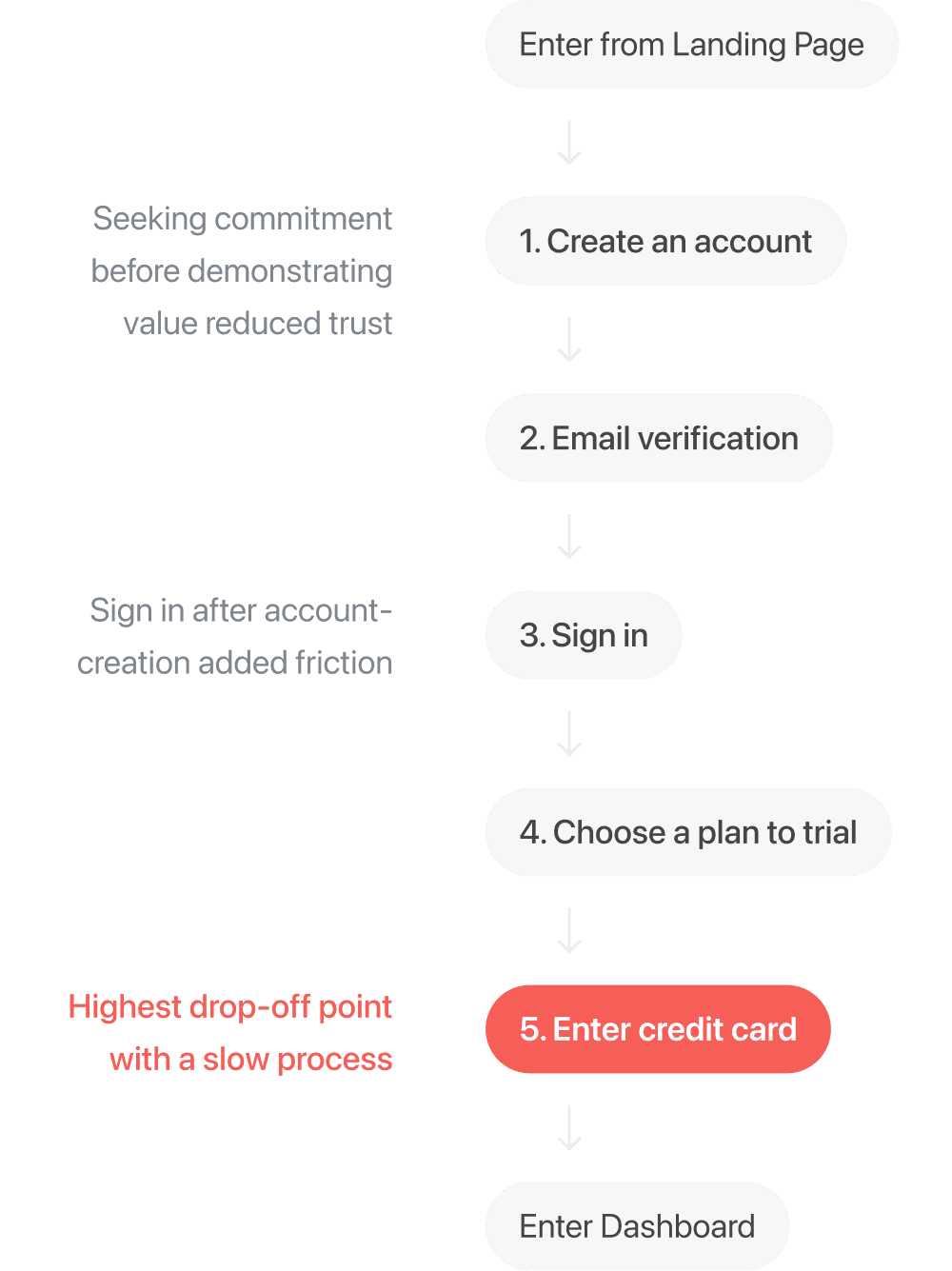
Prospective users are abandoning the Kotae platform during onboarding due to a high-friction payment wall and an unclear interface that prevents them from immediately experiencing the product's value.
Research Findings
To understand exactly where users were getting stuck, we reviewed website traffic data and conducted usability tests with 17 target users. The findings clearly highlighted the barriers:
70% Drop-off: The vast majority of visitors abandoned the flow the exact moment a credit card was required.
12-Minute Completion Time: The flow frequently pulled the user toward outside flows such as Google, Stripe, or their email.
Lack of Trust: Users verbally expressed hesitation and skepticism.
Goal
Shift onboarding from a business-first flow to a value-first experience by letting users interact with their bot before committing.
This meant surfacing core user-experiences, features, and flows to these prospective users in an interactive, digestible medium.
Stakeholder Alignment
While data supported a value-first approach, moving from a strict paywall to an open, interactive experience required alignment across three key groups.
C-Suite: Business Risk
Leadership worried that removing the paywall would attract low-quality leads and reduce conversion intent. I proposed delaying the paywall until after the 30-day trial, emphasizing the importance of user-trust and arguing that users who already verified the product on their own site would be far more qualified than those who simply created an account.
Project Manager: Cost Efficiency
There were concerns that unauthenticated users could generate costly AI training, API usage, and waste cloud storage. To address API usage, we limited scraping to a subset of pages, enough to demonstrate value, while requiring an account to unlock full-site training. Regarding storage costs, I proposed that trained websites that never converted to a paid plan would delete from our system after 90 days. Since the free-trial is 30 days, this also gave the marketing team a 60-day window to initiate win-back promotions.
Engineering: Technical Constraints
AI training took 4–5 minutes, which risked high drop-off if users faced a blank loading state during onboarding. Along with the limit of scraped pages, I turned this wait time into a customization phase, allowing users to style their bot’s name, colors, and visual identity while training ran in the background.
Proposed Strategy
Balancing these constraints with a user-first approach led to three key design decisions:
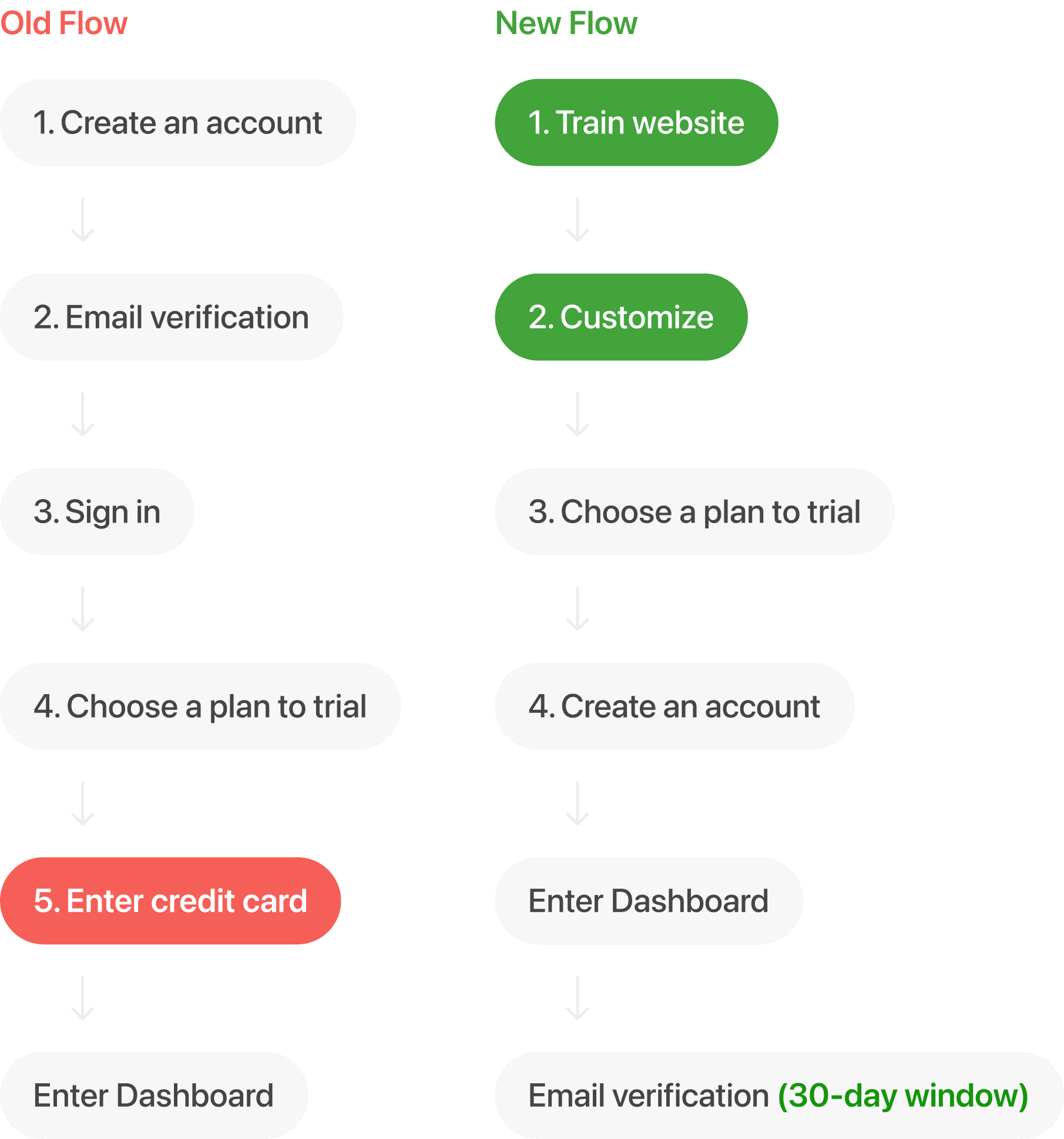
Get users to touch the product early. Allow them to train Kotae on their website during onboarding so they can ask questions about their own business right away, which is a concept inspired by Apple’s hands-on retail experience.
Make the experience personal. Offer quick customization (color, logo, brand identity) and ask them about their business needs to tailor the setup and encourage their foot further into the door.
Delay financial commitment. Avoid asking for a credit card until the 30-day free trial ends. Only request name and email at the end of onboarding, just before the dashboard.
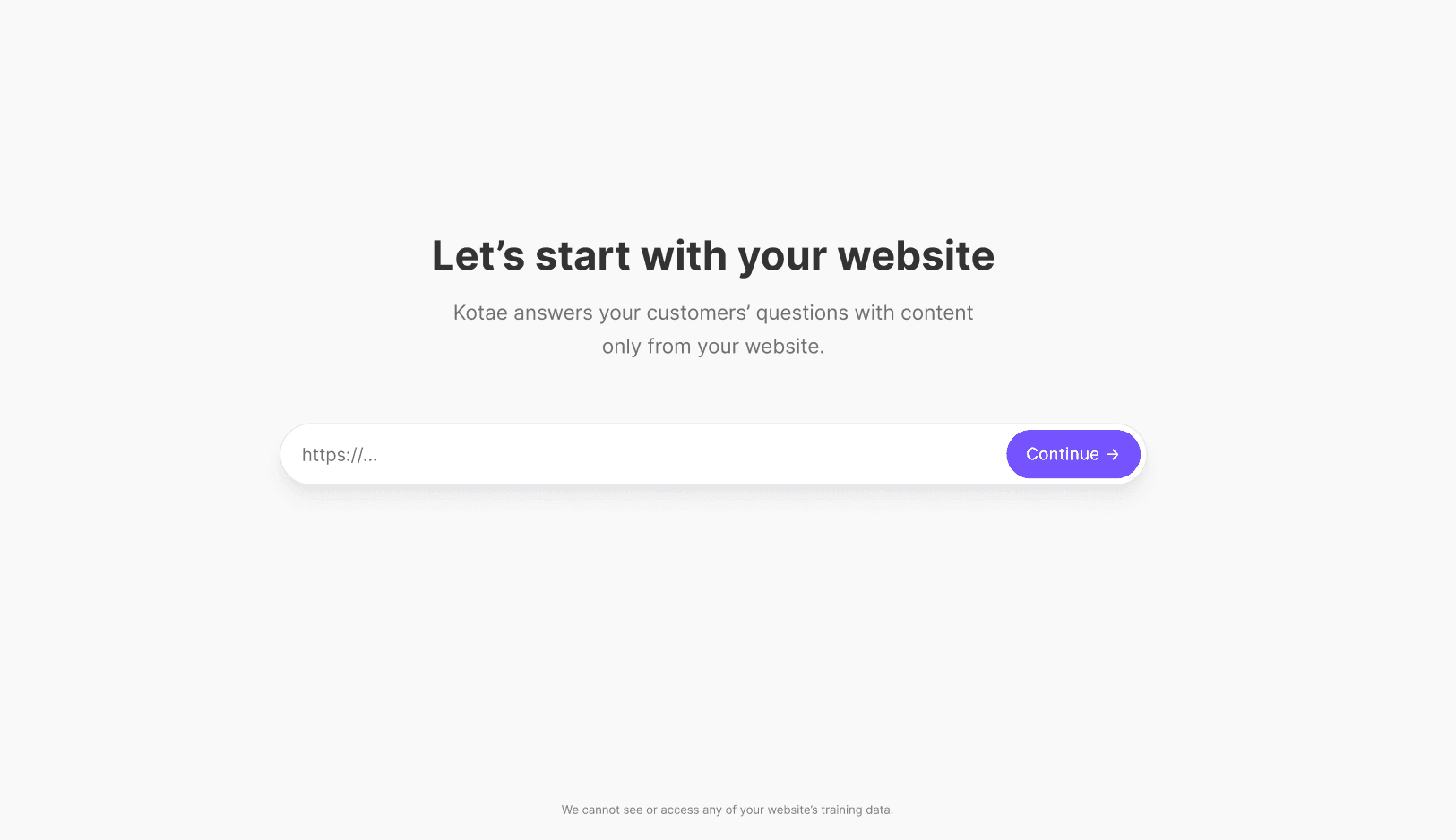
Step 1: Prompt the user to train Kotae with their company's website
Curating Each Step
After observing major areas of drop-off in the original onboarding flow and agreeing on a new flow, we zoomed into each step and reimagined its experience to create an enjoyable, personable, low-commitment experience with Kotae.
So we ensured that each step included a degree of interaction, color, anticipation, and clarity on their website's training progress.
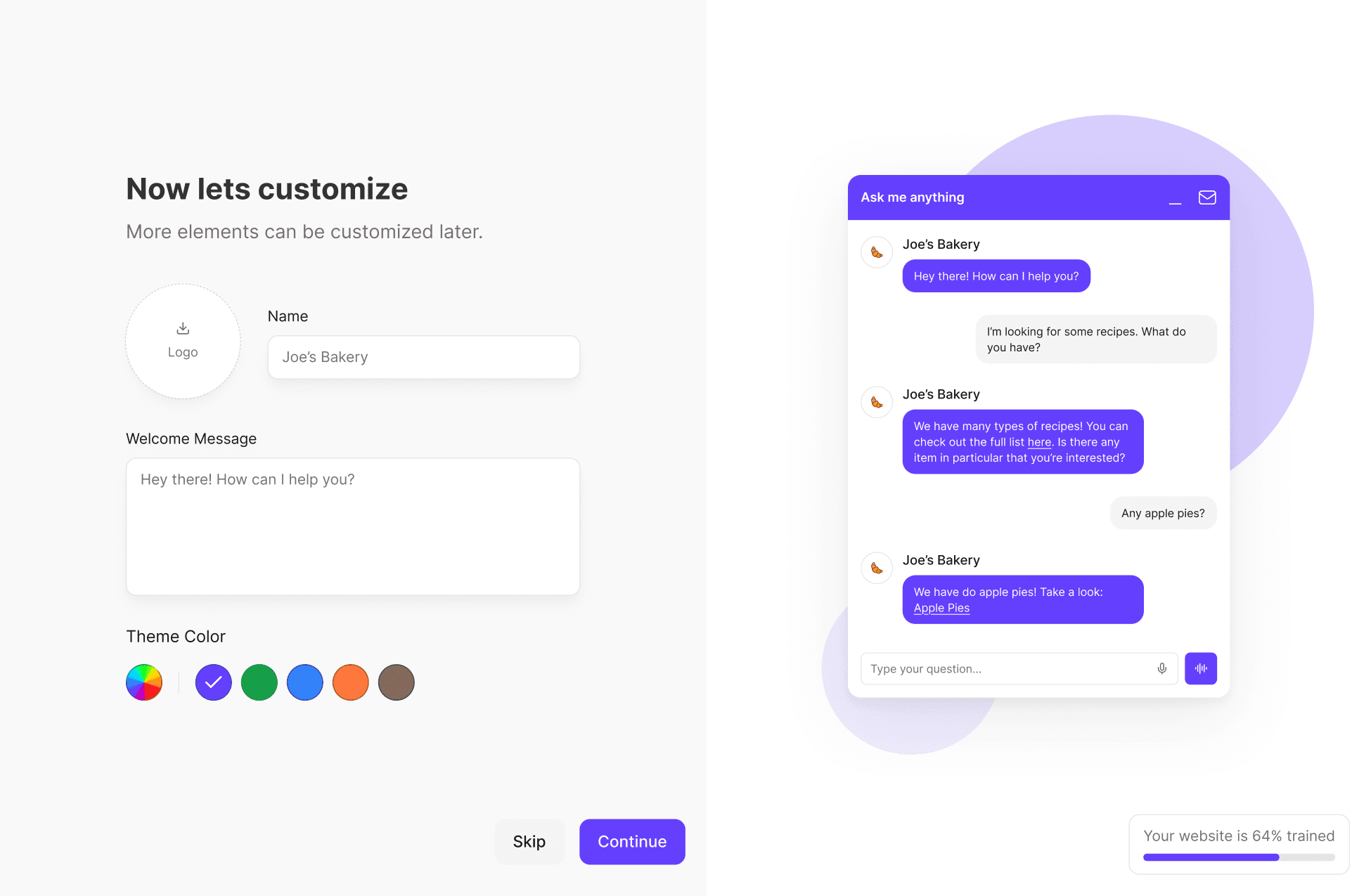
Step 2: Encourage users to touch the product and make it personal through customization
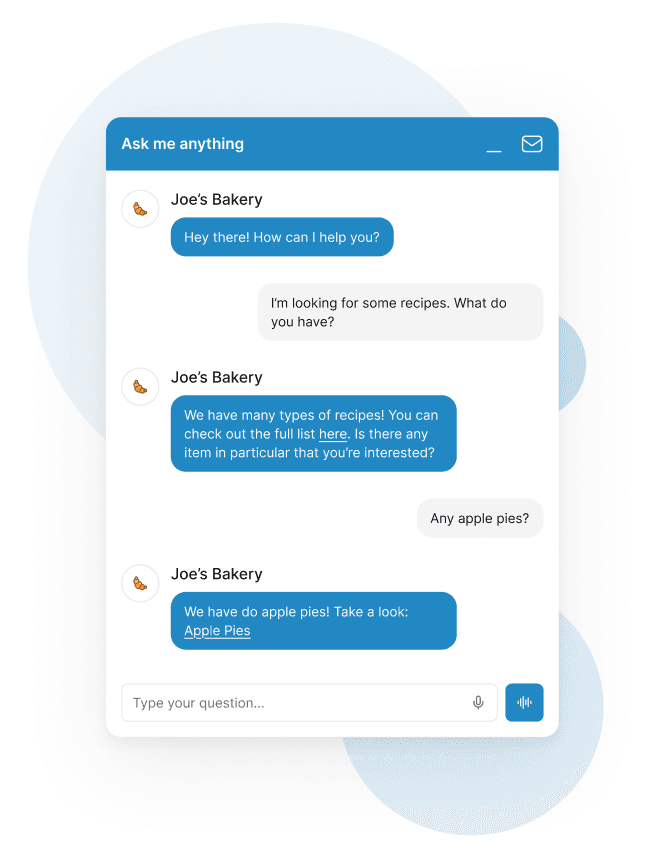
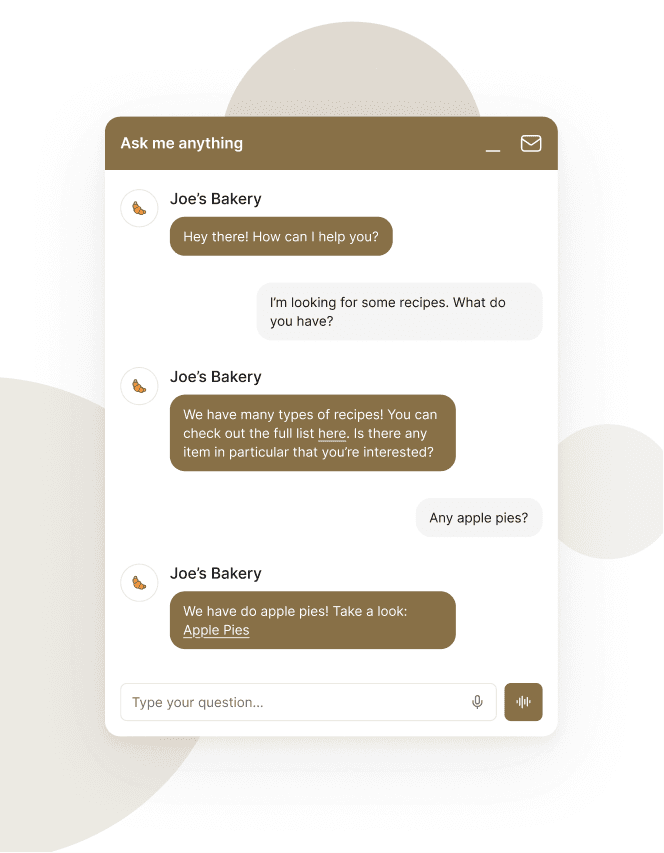
Kotae customization examples
Technical Constraints
Ideally, we wanted to enable the user to train their site within seconds so they can experiment with Kotae's responses quickly after. However, entering a website here would trigger a site-wide scraping; for users with large websites (>500 URLs), this could take anywhere between 4-7 minutes.
So as their website is trained in the background, we allowed users to customize and personalize Kotae in the meantime.
This flow accomplished provided three benefits:
Allow the user to connect with the product more personally
Give a reason for the user to stay until the end
Provide time for AI to scrape and train itself on the entire website
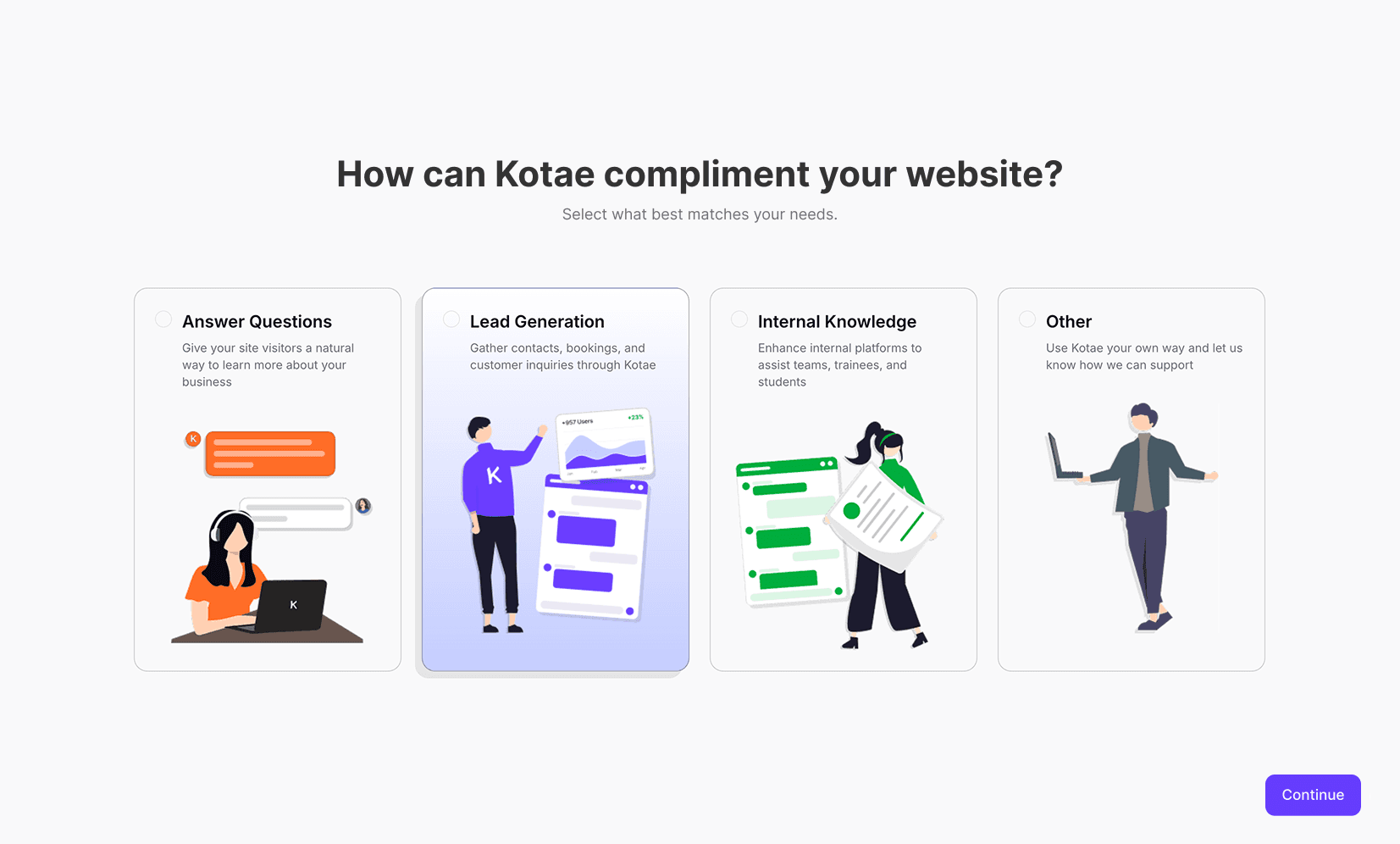
Step 3: Ask the user how they plan to use Kotae
Impact and Validation
To measure the impact of the redesign, we looked at live traffic performance against our previous benchmarks for 3 months after the launch of the new onboarding flow. By shifting the product experience to the front of the experience and removing the paywall, we saw an drastic shift in user behavior. The onboarding abandonment rate plummeted by 83%. in comparison to its preceding iteration.
We also asked the original 17 target users to return for a second usability test, this time with the new onboarding flow. The average time-to-completion improved 2.5x, from 12 to 4.5 minutes.
Beyond numbers, the participants were asked to verbalize their thoughts, and their sentiment was significantly more positive. Some described the new process as "definitely more enjoyable" and "engaging".
Conversion Optimization
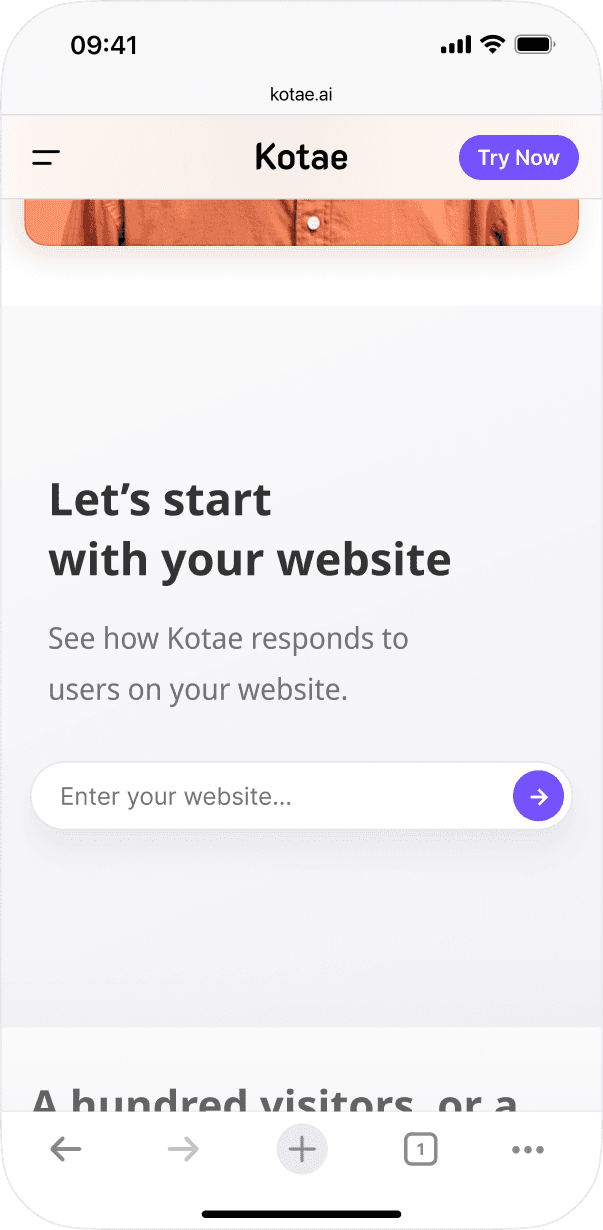
To capitalize on this new flow, I added the website-training input field directly below the hero of Kotae's landing page to make the first action more accessible and apparent.
From website traffic data, over the past year, this addition now accounts for more than half of the onboarding sessions.
Takeaways
Since this was my first project as a lead, I certainly learned a lot.
One of my biggest takeaways was learning to use design to mask technical limitations. Turning a 5-minute technical hurdle into a personalization feature taught me how to collaborate with engineering to create a seamless experience out of a constraint.
I also learned that when proposing radical changes to a business model (like removing a paywall), subjective design opinions need to be backed with research, data, or proven strategies by other leading products to gain green-lights from both project managers and C-suite members.