
Thoughtful
2025 - Present • iOS Interaction Design
Impact
400 Regular Users
On Apple TestFlight; as of March 2026
"It's fully replaced my Notes app"
Feedback from a close friend
Context as of March 2026
Thoughtful is a personal project that I built for myself to keep a dedicated space for my own journals. This app is an amalgamation of my interest in positive psychology, mental health awareness, technology, interaction design, and iOS development—a new skill I'm taking on.
It currently has about 400 regular users, who open the app at least 3 times a week. Many of them are my personal friends, acquaintances at church, or members of the iOS/tech community on Threads.
Mission
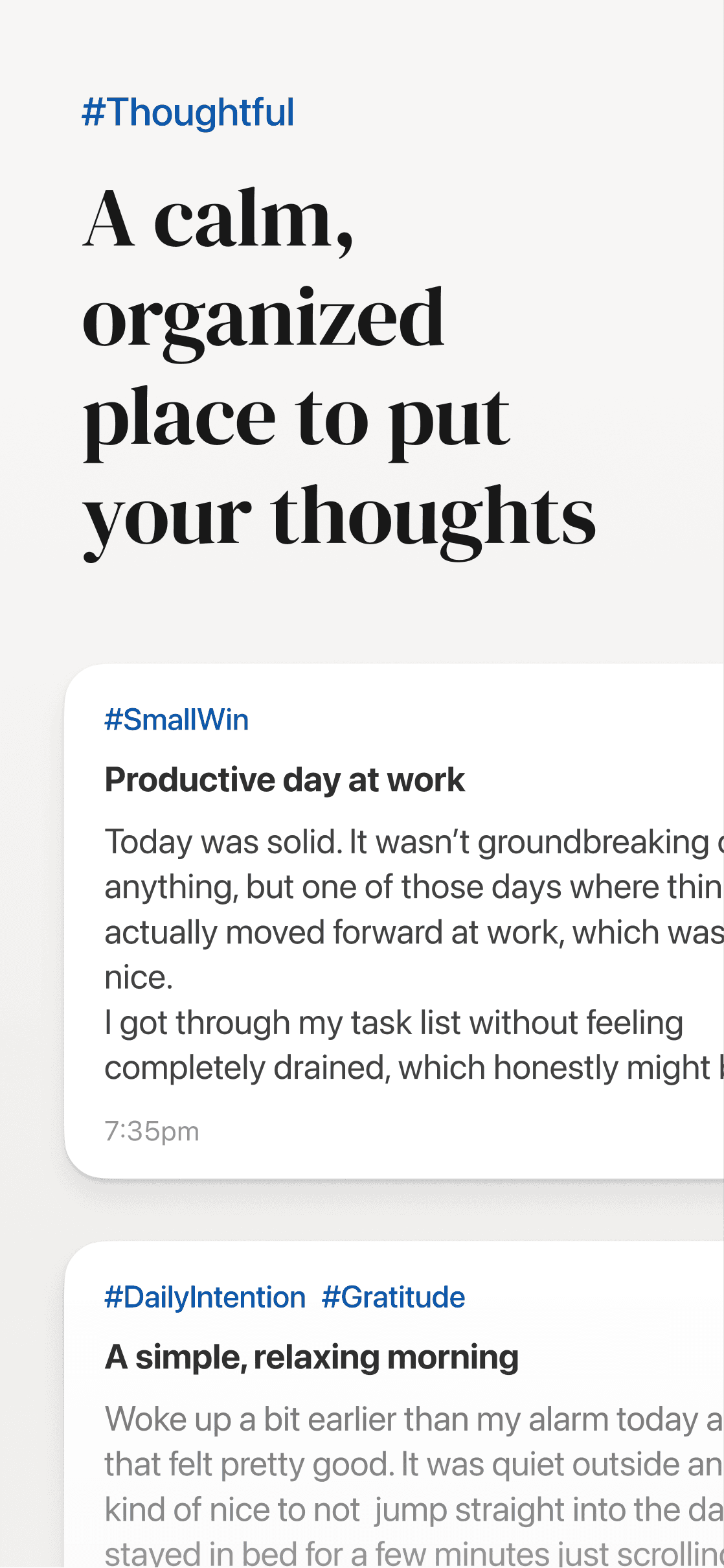
The mission of Thoughtful is to make writing, reflection, and self-discovery feel effortless through carefully crafted experiences. I want to bridge the gap between mental health and technology.
It helps organize your thoughts alongside your life, one day at a time. While it begins as a journaling app, the long-term vision is to make tools for mental health, positive psychology, and personal growth more accessible to everyone.
Inspiration
When Apple Journal launched, it introduced a native journaling experience within Apple’s ecosystem. However, its core structure relies on a single, continuous vertical feed of entries.
While clean at first, this approach becomes harder to navigate over time. Entries blend together and revisiting specific moments after months of writing requires scrolling through an extended timeline.
The experience supports capturing thoughts quickly, but reflection—a central aspect of journaling—becomes less intuitive over time. So, Thoughtful addresses this shortcoming by organizing entries day-by-day.
Problem Statement
People who attempt to journal using general productivity tools or note-taking apps often find their entries scattered among unrelated notes, difficult to organize, and challenging to revisit later. Over time, meaningful reflections become buried within large volumes of miscellaneous content, making it difficult to review thoughts chronologically or maintain a consistent journaling habit.
Target Audience
The target audience for Thoughtful is Gen Z and millennial users who value mental health, self-discovery, personal growth, and overall wellness. The app is also designed to support people who struggle with organization, including those with ADHD or those who find traditional productivity tools overwhelming.
Design Strategy
Each page, feature, and interaction should reflect how we naturally remember our lives—yesterday, last week, or two years ago. Features such as Tags should not only be built with technical constraints in mind, but should also consider cognitive constraints. More on that later.
Given that Thoughtful is a mental-health focused app, its copy, design, and UX aims to be inviting, intuitive, and most importantly, non-invasive. While features and prompts should encourage the user to ponder, reflect, and write, it should not push, pressure, overwhelm, or judge.
Additionally, because Thoughtful is only available for the Apple ecosystem, all interactions, animations, and UI elements should feel native to iOS (and eventually MacOS, iPadOS, and WatchOS).
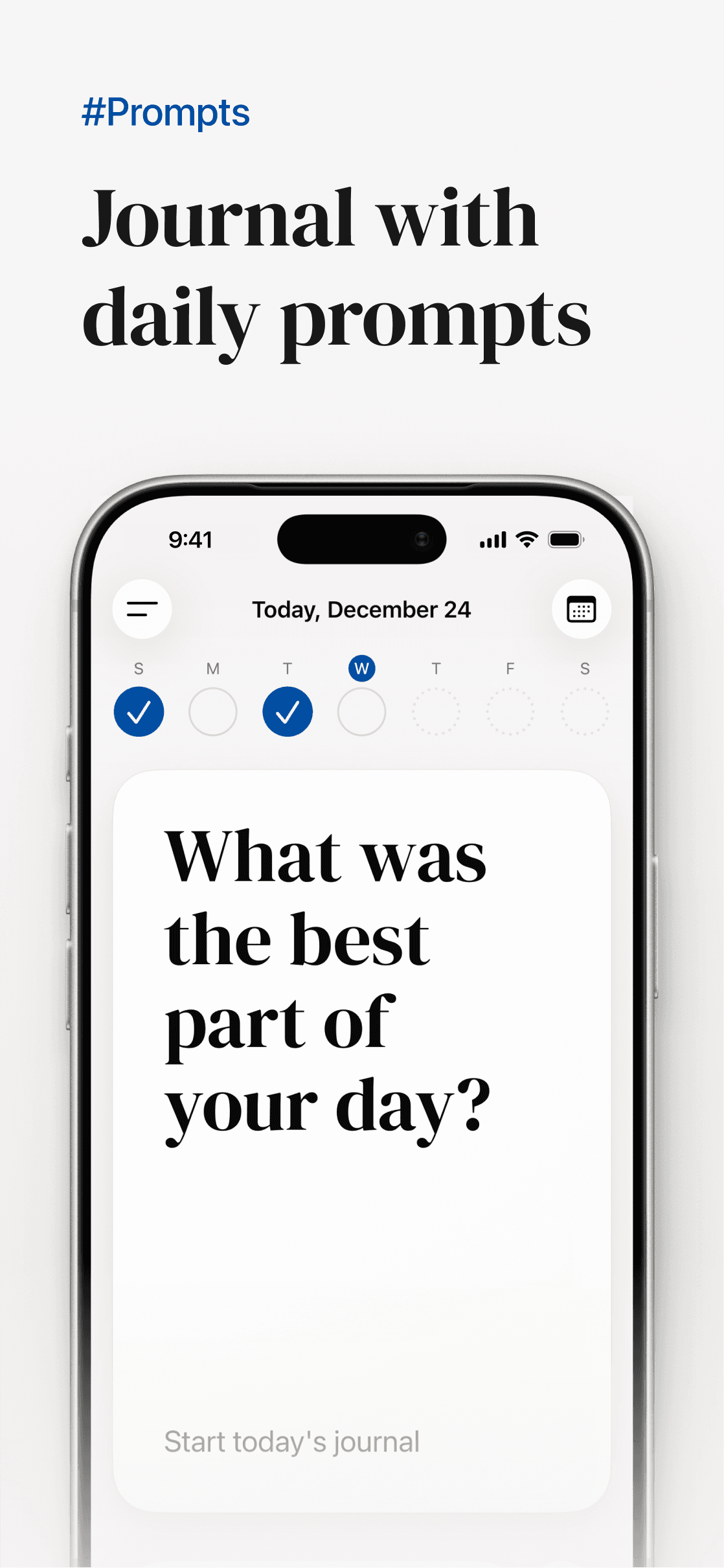
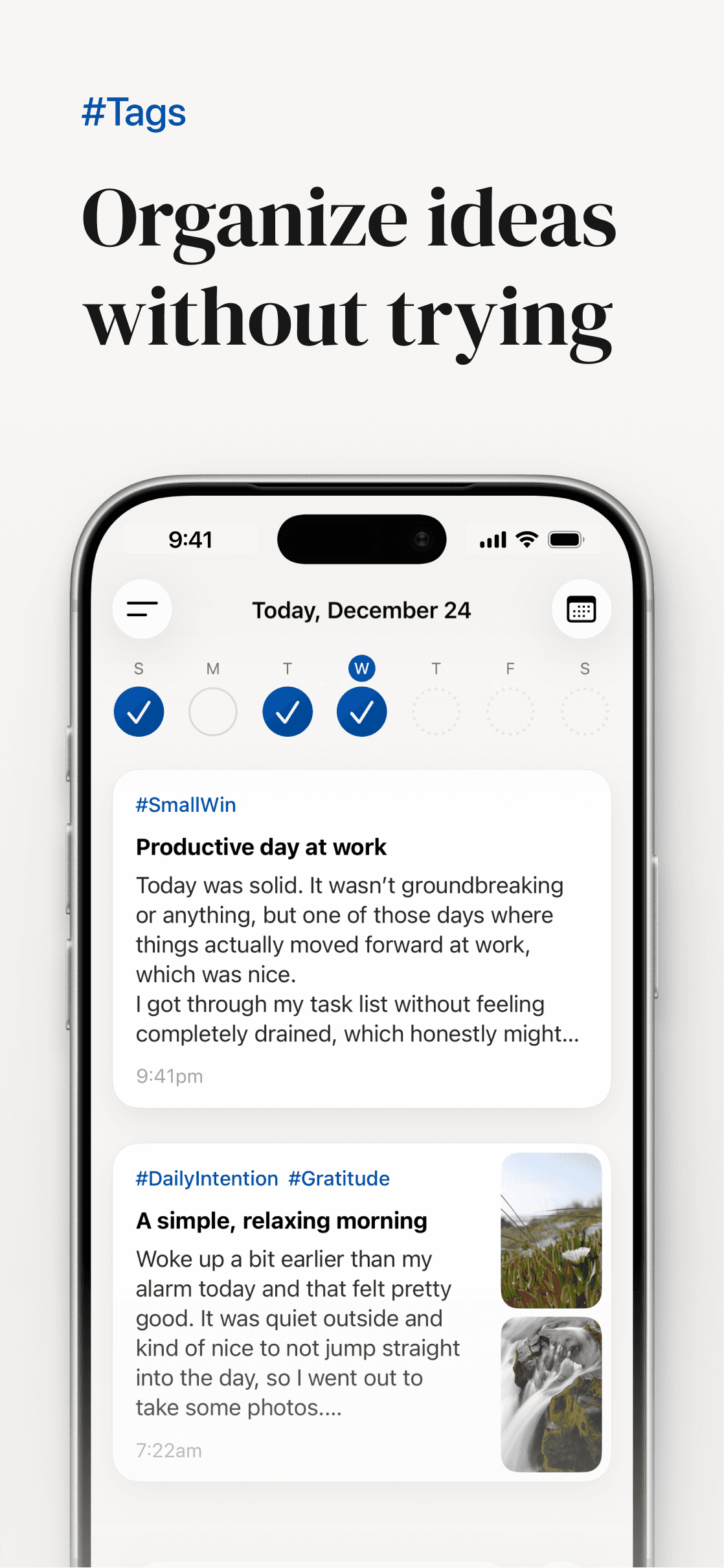
Each swipeable page in Thoughtful represents a single day, just like Apple's Fitness and Calendar app.
Entries written on the same day live together on that page, and users move through time with a horizontal swipe. This makes it easy for the user to revisit the previous days, or jump weekly by swiping on the dial toward the top of the screen.
Calendar
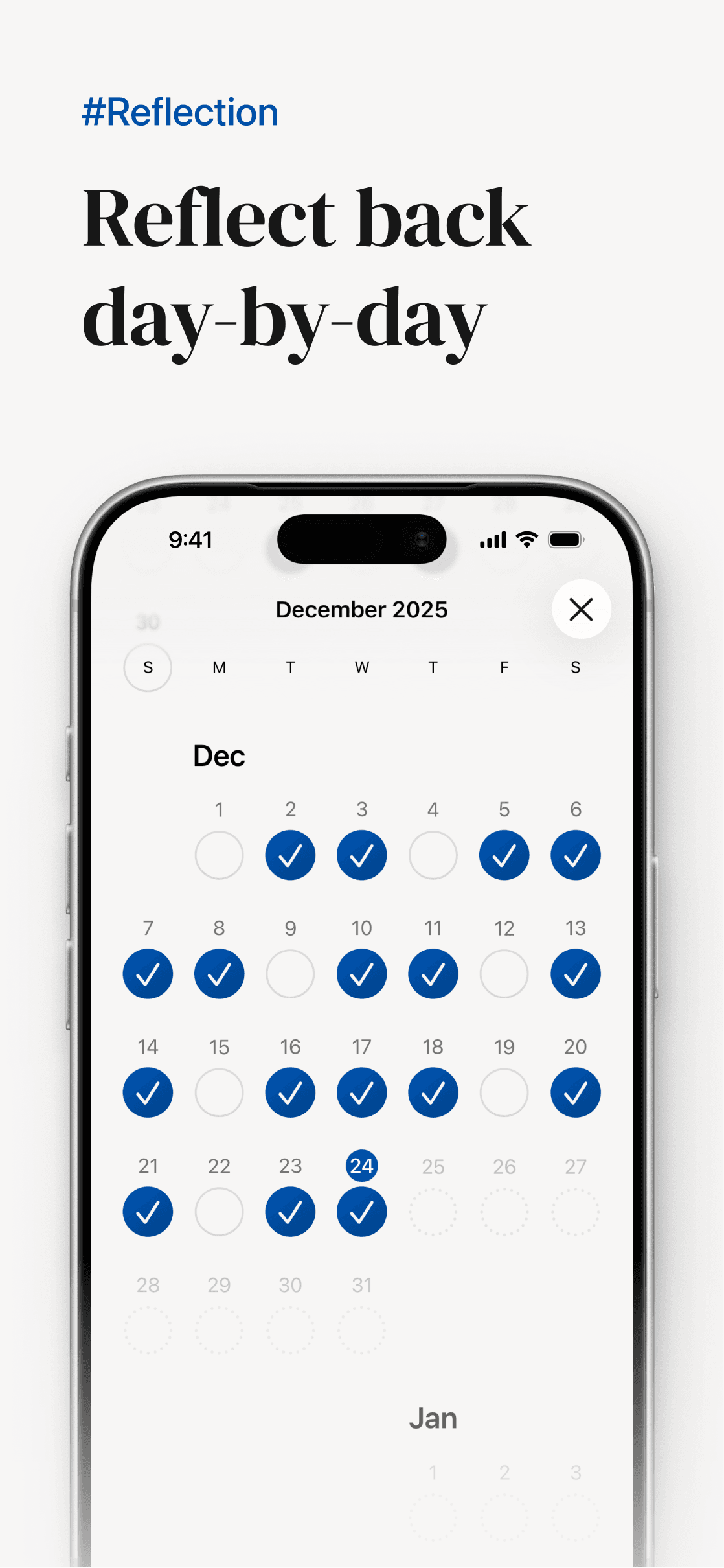
To make longer jumps, the calendar in the top-right provides a month-level overview where days are marked with the same checkmark indicators.
Additionally, unlike a typical calendar app, the user cannot navigate to a future date. If the user is currently viewing a page that is not today, a button appears at the bottom, allowing them to "Go to today".
Onboarding
Thoughtful's first-time experience begins with a short guided 3–4–5 breathing exercise, a quick tool I often use for myself to find grounding.
Afterward, users are gently asked how their mind has felt lately, and are provided a three-option selection.
The interaction is intentionally lightweight and non-clinical, designed to encourage awareness without requiring deep analysis.
Tagging
Tags provide lightweight organization without requiring users to build complex systems.
Most note-taking apps rely on manually typed “#tags,” forcing users to remember what they’ve already created. With no structure or limits, tags can quickly become fragmented, making it difficult to stay consistent and easy to lose track of what already exists.
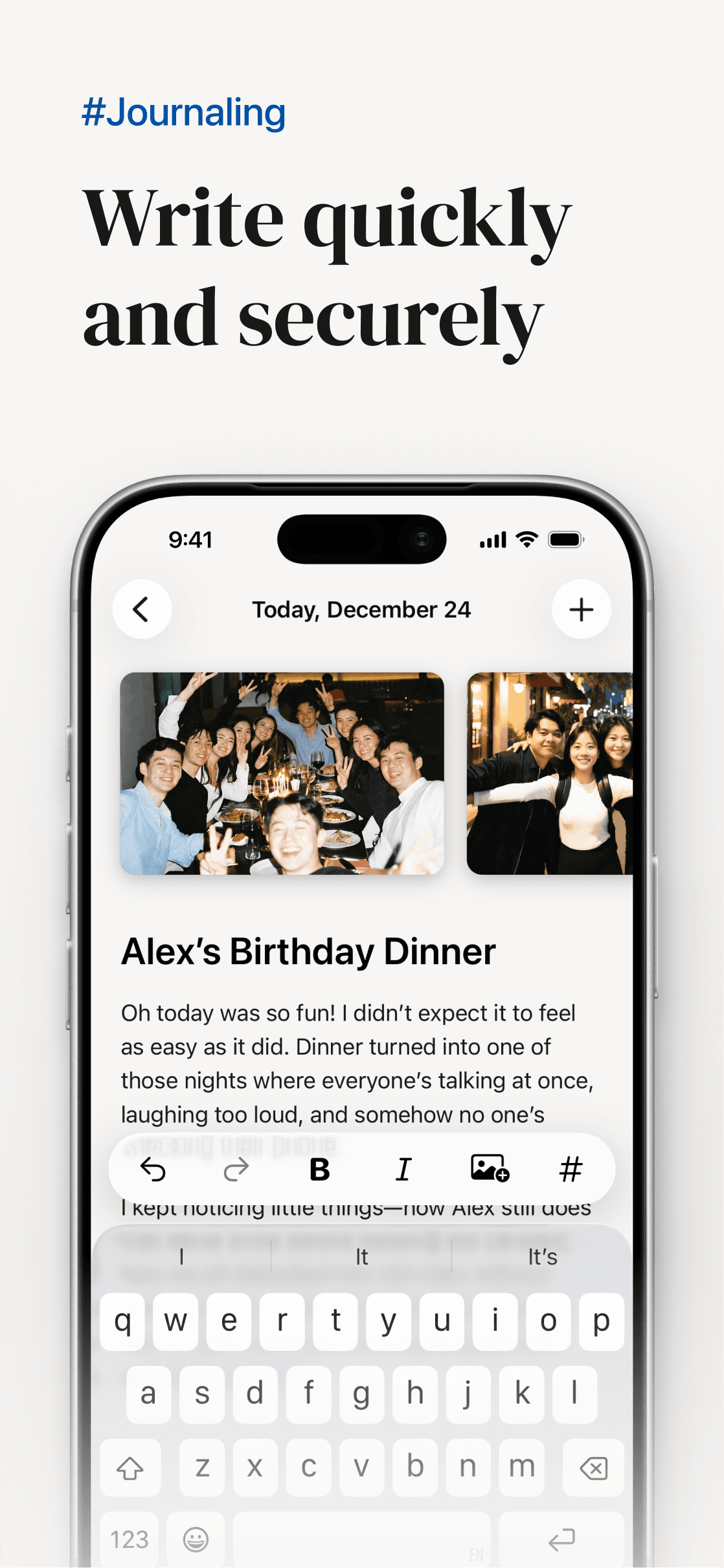
In Thoughtful, tags are integrated directly into the editor toolbar, allowing users to quickly select existing tags or create new ones without manually typing “#.”
The input is automatically focused, making the flow fast and uninterrupted. The interaction is designed to be linear and unobtrusive, so it supports writing rather than distracting from it.
A limit on Tags
A limit of 10 tags is also intentionally enforced. Because working memory can only manage a small number of items at once, this constraint reduces over-categorization and decision fatigue. The result is a system that promotes clarity and intentional organization without introducing clutter.
Search & Filter
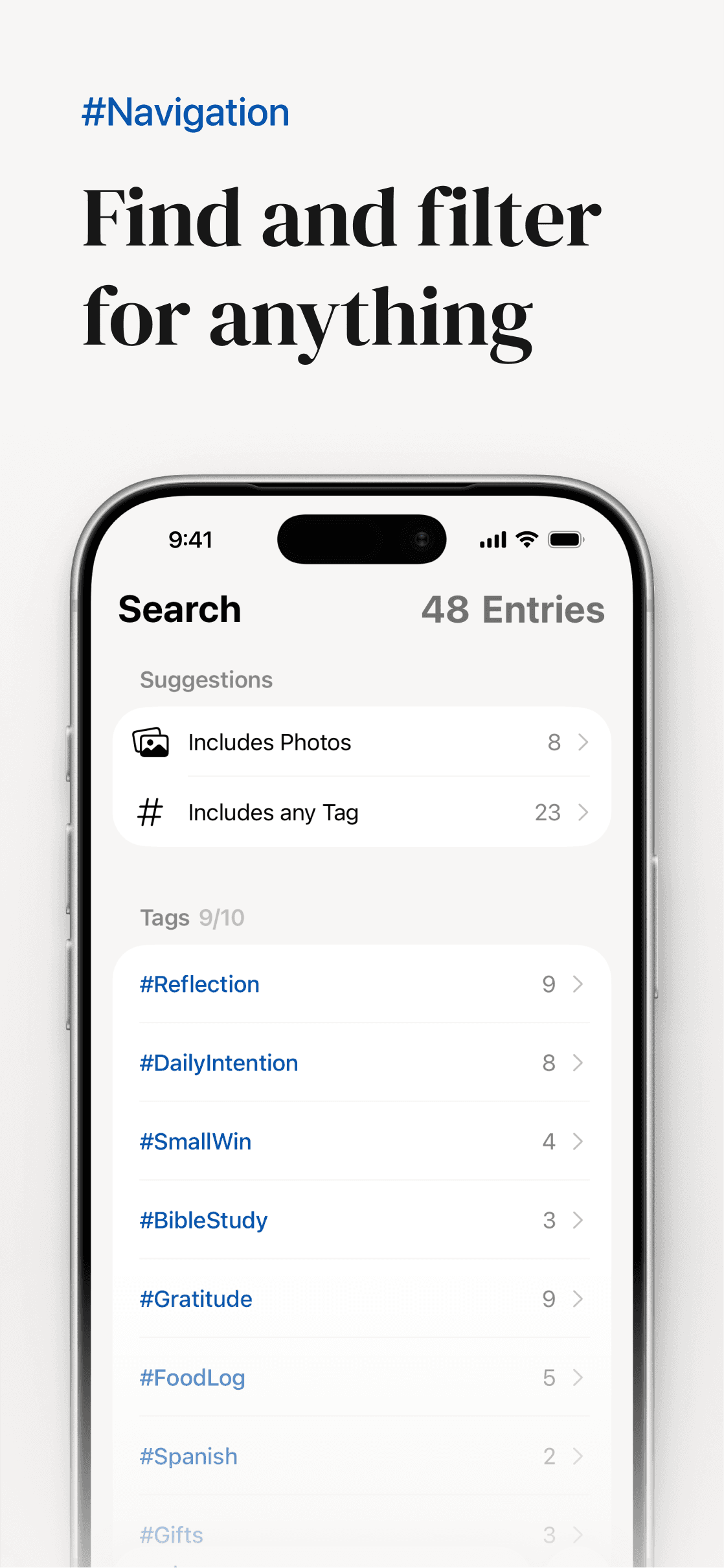
Search and filtering are designed as tools for reflection, making it easy to revisit entries connected by a shared tag, topic, or phrase.
To maintain familiarity and consistency, the same tag toolbar appears above the keyboard once the user begins searching. The entry counter in the top-right provides the total number of entries a user has, then the number of filtered results when a search is active.

Fun Little Details
My favorite part of building Thoughtful has been filling the gaps with easter eggs and self-expressions.
For example, at the end of the calendar view, Matthew 6:34 NLT, a Bible verse that frequently helps me find grounding in the present, is written.
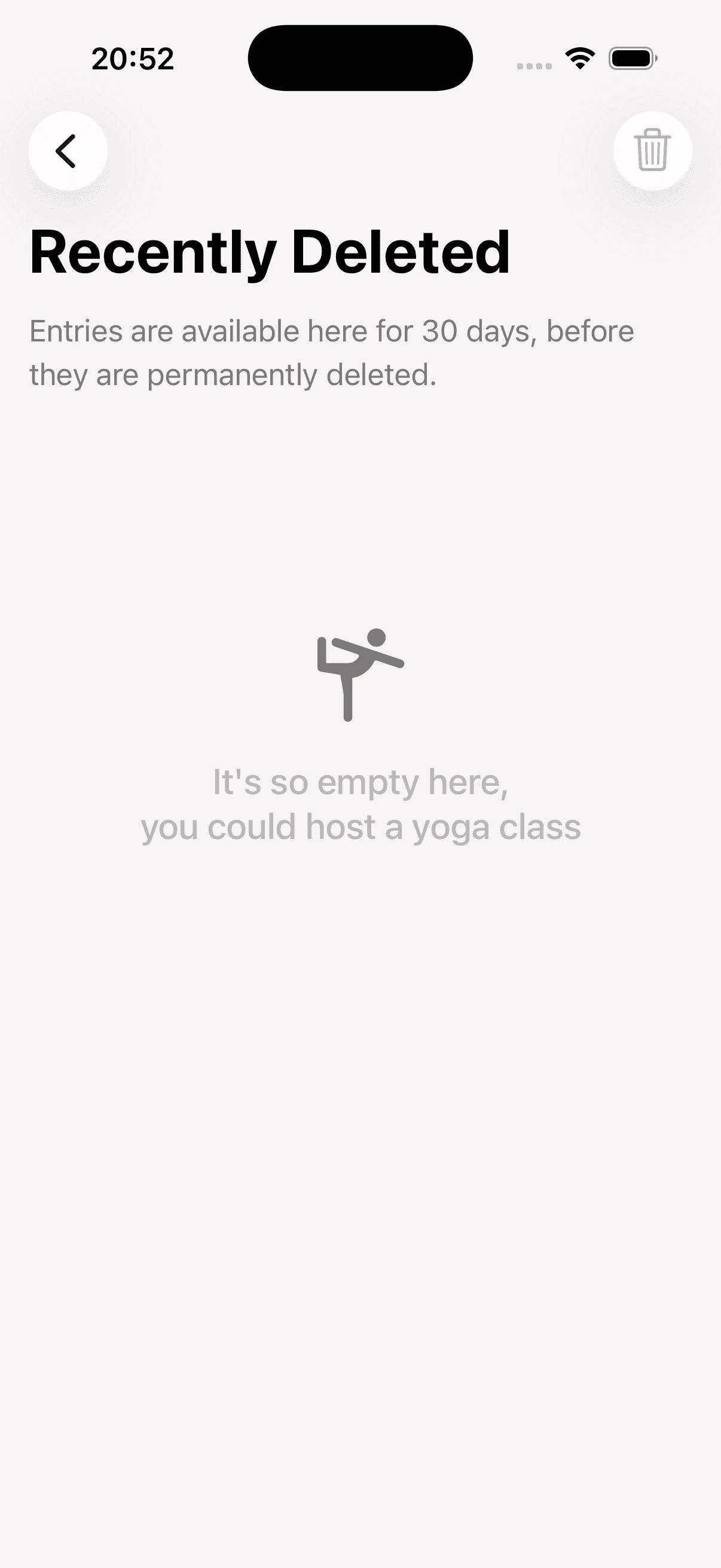
Or, because I've been really enjoying yoga lately, I made a fun use of the Recently Deleted's empty state message to express my love for the practice.
Next Steps
Long term, Thoughtful is designed to fully integrate within Apple’s ecosystem, expanding thoughtfully across devices while maintaining its simplicity. This includes iOS, MacOS, iPadOS, WatchOS, and perhaps even VisionOS.
The vision is not to add complexity, but to deepen utility and help users better understand their patterns, their progress, and themselves.